1. Check your Application Status on myKPU regularly
To login to myKPU, you will need your KPU Student Number and your KPU Student Email.
You will receive your KPU student number via email from Admissions after submitting an application for admission to KPU. (The subject line of this email is "KPU - We have your application!"). You will receive a separate email (subject line "Next Steps") in 1-2 weeks with your KPU student email with login information for myKPU.
Sign in with your KPU Student Email address. When you click "Next" you will be asked for your password.
First time users will use their birthdate followed by their Student ID as their PIN: DDMonYYYY_999999999 (as an example, 01Jan2007_123456789). If you've changed your password and have forgotten it, click "Forgot PIN" to reset it.
The first time you login, you will be asked to set up Multi-Factor Authentication to protect the security of your KPU student records and account information.

Once you have logged in, navigate to the Enrolment Services tab, and find the "Applying to KPU" tile. Click the bookmark to have the tile appear on your Home Dashboard.


2. Complete your Application Checklist
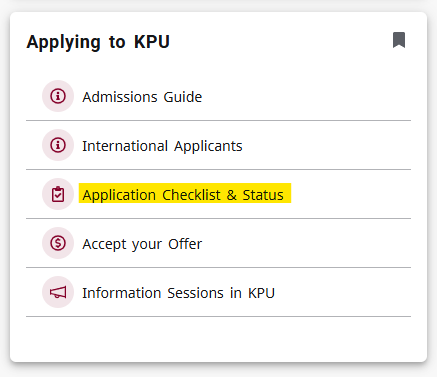
Check your application checklist on myKPU by clicking "Application Checklist & Status" on the Applying to KPU tile. The checklist will show all outstanding documents/requirements for your application. We can begin to review your application once you submit your documents, so please do so as soon as possible.
If a deadline for a requirement has passed, you may still be eligible to be considered for admission if space is available. Reach out to your program Admissions Officer (the person who sent your "Next Steps" email or admissions@kpu.ca) if you have any questions.
Click on either the term or the program name to open your checklist.

The image below is a sample application summary only. Here are the categories of information you will see on your checklist:
- Application Status: Shows your program of application, and the current status of that application
- Requirement: Items required for your application
- Received: Date of receipt of each requirement
- Note: Will indicate further details of some Requirements (not all will have Notes)
- Status: Will indicate if the item has been met
- Deadline: Not all programs have deadlines. If your program does not have deadlines listed, you should still submit your documents as soon as possible in order to have your application processed.
- Some programs are limited intake based on Date of Qualification – this means that the earlier you complete your checklist, the better your chance of being admitted to the program
- If your deadline has passed, you may still be eligible to be considered for admission. Check your email for your Next Steps, as this will be the correct person to contact if you have questions.
- Additional information on your program requirements are available in your "Next Steps" email from Admissions and the KPU University Calendar.

Limited intake programs may require additional documents. Please review the University Calendar and your application checklist to ensure you understand what is required. Examples of additional documents may include: Information Session, Portfolio Review, Reference Letters, Interview, Statement of Interest.
Official transcripts must be received in a sealed school envelope bearing an official stamp or seal. Learn More About Submitting Transcripts.
Applicants requiring KPU entrance testing for English Proficiency, Math, or Vocational Trades can learn more here: https://www.kpu.ca/testing/admissions. Admissions Testing is booked through KPU's Assessment & Testing department. If you are unsure which assessment to take, please contact the Future Students Office for assistance at study@kpu.ca.
If you wish to change Faculties, or wish to apply to a Limited Intake program for the same term you have applied to, you may submit a Change of Application form.
4. Accept your Offer of Admission
When you receive an offer of admission, you’ll need to accept your offer and pay your non-refundable confirmation deposit by the deadline listed in your offer letter.
How your deposit works
Once you register for courses, your confirmation deposit will be applied to your student account, reducing the total tuition and fees you owe for the semester. If you choose not to attend KPU, the deposit is non-refundable and will be retained by the university.
Paying your deposit
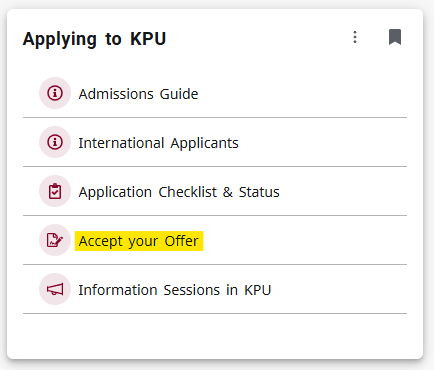
Login to myKPU, and on the "Applying to KPU" tile, select "Accept your Offer". You will be re-directed to the payment portal where you will be able to submit your confirmation deposit with a credit card. If you have questions about paying the deposit, please contact the Future Students Office.
Deferrals
If you have accepted and offer to an Open Intake program, paid your confirmation deposit, and would like to defer your admission to a future term, Please go to the SES Student Forms page to find the 'Request for Deferred Admission'.
Read the Directions for Use carefully and ensure you meet all necessary criteria. Please note that deferrals are not available for Limited Intake programs.