
This tutorial was created collaboratively between the Library, Learning Centres, and Academic Integrity Unit. There is no cost to take this tutorial and it is open to all KPU students.
To access the tutorial, you will need to enrol in the tutorial through Moodle at: https://courses.moodle.kpu.ca/course/view.php?id=31113.
This tutorial covers the following topics:
- What Generative AI (GenAI) is
- When you can use GenAI at KPU and how it connects to academic integrity
- What to consider if using GenAI
- What to look at in GenAI output
Student FAQs
What is this tutorial about?
If you haven't completed the Introduction to Academic Integrity Tutorial yet, it is recommended to complete this first.
Who should complete this tutorial
• First-year students
• Students new to Canadian academic expectations
• Anyone unsure about GenAI expectations at KPU
• Students who want to learn more about things to consider when it comes to GenAI
• Students who want to strengthen their academic confidence
What is the format of this tutorial?
• Typically takes 1-1.5 hours to complete
• Interactive learning activities
• Can be completed anytime during the semester
• Students receive a digital badge upon completion
How do I enroll in this tutorial?
- Go to: https://courses.moodle.kpu.ca/course/view.php?id=31113
- Log in with your student ID and password
- Self-enrol in the tutorial by clicking "Enrol Me"
What are the technical requirements?
We recommend completing the tutorial on a laptop or desktop computer.
The KPU Library has desktop computers for use, as well as laptops that can be borrowed.
How do I get the badge?
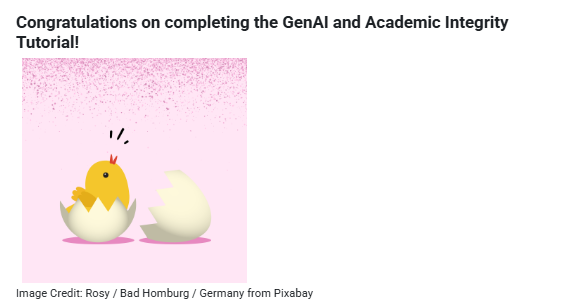
To get the badge, you will need to reach the Congratulations page as seen below. To do so, you will need to complete all five module quizzes with 100%.
What if I do not complete the quizzes in the tutorial with 100%?
You can redo the short quizzes as many times as you need to get the required percentage to move on. We encourage you to review the feedback that is provided after you submit your answer.
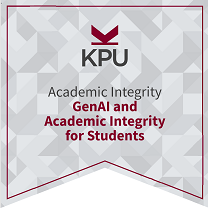
I have completed the tutorial - how do I find my "GenAI and Academic Integrity for Students" badge?
You can find your badge on your Moodle "Profile." The badge serves as proof of completion. Review the following page for step-by-step instructions: https://kputlcommons.freshdesk.com/support/solutions/articles/43000691910-viewing-your-badges-in-moodle-students-
You will also receive an email titled "Your GenAI and Academic Integrity for Students badge has been awarded!" with a link to your badge. You can also download a PDF of your badge there.
The digital badge icon for this tutorial:
What if my badge doesn't show up in Moodle?
First check to see if you have unhidden badges on your Moodle Profile by following the instructions at the bottom of https://kputlcommons.freshdesk.com/support/solutions/articles/430006919….
If you have successfully completed the tutorial, but have not been awarded a badge after 30 minutes, please send an email to GenAI.Tutorial@kpu.ca. You will know that you have reached the end of the tutorial upon seeing the Congratulations image below.
Can I review the tutorial again after I've completed it?
You can go back to the tutorial anytime to review the content and redo the activities.
For other questions about this tutorial, please email GenAI.Tutorial@kpu.ca